Text message evidence: from screenshots to searchable threads
Phone threads are often the densest record in a matter — custody logistics, admissions, “delete this,” late exchanges — and they arrive as screenshots, screen recordings, or long PDF exports that are painful to cite.
exhibit.law does not turn a year of texts into an automatic legal brief. It does something more grounded: detect chat-style screenshots, recover bubble order and layout side, let a human map each side to a person on the case, and make that text searchable inside that matter only.
Why screenshots and PDF dumps are hard to work from
A folder of phone captures is not a thread. Flat OCR of a blue-and-gray screenshot often reads top-to-bottom without “who said what,” merges timestamps into the wrong line, and leaves you Ctrl+F’ing a wall of text. A multi-hundred-page carrier or app export as PDF has the opposite problem: volume without structure you can filter by person or pin to the chronology.
Family law, criminal, and civil matters all hit the same gap: the messages that matter are already in the record, but they are not yet in a form the team can search, assign, and cite without re-reading everything by eye.
What exhibit.law extracts from a chat screenshot
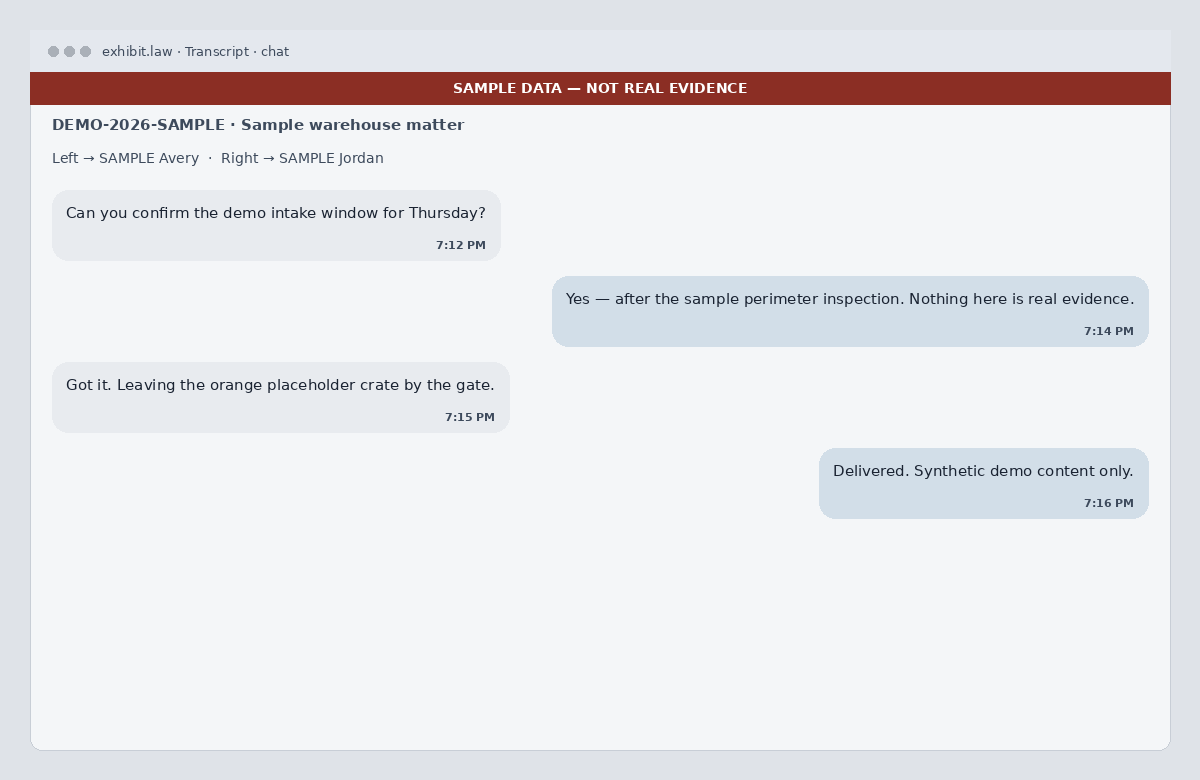
When an image looks like a mobile text / iMessage / SMS / WhatsApp-style thread, vision recovers layout only: contact header if visible, each bubble’s text, optional on-screen time, and whether the bubble sits on the left or right. Order stays top-to-bottom as shown. System chrome (“Delivered”, “Read”, typing indicators) is omitted as messages.
If the image is not a chat thread, the ordinary image OCR ladder still runs — we do not invent bubbles. Parse failure falls back the same way. Vision processing uses self-hosted models or third-party providers, depending on the feature and deployment configuration, under applicable no-training terms. Contact us to discuss a dedicated or self-hosted deployment and its scope and requirements; see the AI Disclosure.
- Segments are message bubbles (kind=message), not timed audio turns
- Left/right is layout — not a guessed speaker identity
- Header contact name is a hint in the coverage note, not an auto-person
- Flat transcript text is still indexed for case-scoped search
Humans assign sides; drafts stay under review
In Review, you map each layout side to a person in the case vocabulary — same posture as labeling audio speakers. The product does not invent who is “Mom” or “Dad” from the header alone. One-sided screenshots still let you name the silent party when you know who they are.
AI-drafted timeline events from chat media wait for human confirmation. Upload-time dates stay placeholders. Search ranks phrases across transcripts and events in that matter so you can find an admission or a phrase without scrubbing every capture again.
Where this helps family law (and where it does not)
Co-parenting threads, protective-order context, and financial side-channels often live in texts. Structuring screenshots into searchable bubbles shortens the path from “we have the phone captures” to “we can find and cite the lines that matter” — inside an invite-only case, not a firm-wide chat archive.
exhibit.law does not automatically classify messages into legal issue tags, rebuild a custody-violation spreadsheet, or cross-check a sworn affidavit against the thread. Those remain attorney judgment and workflow. What you get is case-scoped media, structured reading, person assignment, search, and a chronology you control after review.
Try it on a thread
Create a free account, open a matter, and upload a few chat screenshots (and a PDF export slice if you have one). Open the transcript for bubbles, assign left/right to people, then search a phrase you already know is in the thread.
Related: discovery management, legal document OCR, case timeline, and the public-defender workspace page. For office pricing, use contact.