How to build a case chronology from discovery
A chronology worth citing is not a spreadsheet of filenames sorted by download date. It is a sequence of moments you can defend: what happened, when, with the exhibit underneath — visible only to people on that matter.
This guide walks the exhibit.law path from a discovery dump to a reviewed timeline. Each step is something the product already does; none of it replaces counsel’s judgment about what the facts mean.
1. Put the production in one matter
Create or open the case, then upload into that matter only. Zip packages from Evidence.com and other discovery zips expand into the batch automatically. Identical bytes dedupe within the case and never share a row across matters.
Case access stays invite-only. Sign-in does not grant chronology access — a CaseAdmin does.
- One active case at a time for upload and review
- Media rows exist independently of events until you pin them
- Experts can later be limited to tagged slices of the chronology
2. Let the pipeline read what is inside
Processing is server-driven. Metadata extraction runs first; transcription or OCR follows by kind; drafting comes last so it can use transcript text. Documents climb a local-first ladder (text layer → OCR → vision). Body-cam and other A/V become timed transcripts with speakers.
3. Review before dates harden
Open Review for not-reviewed drafts. Fix fabricated upload-time dates before Approve — the product blocks bulk approve on those placeholders on purpose. Flag items that need a second look; clear status when you undo.
Provenance chips tell you whether a date came from EXIF, embedded metadata, AI suggestion, or upload time.
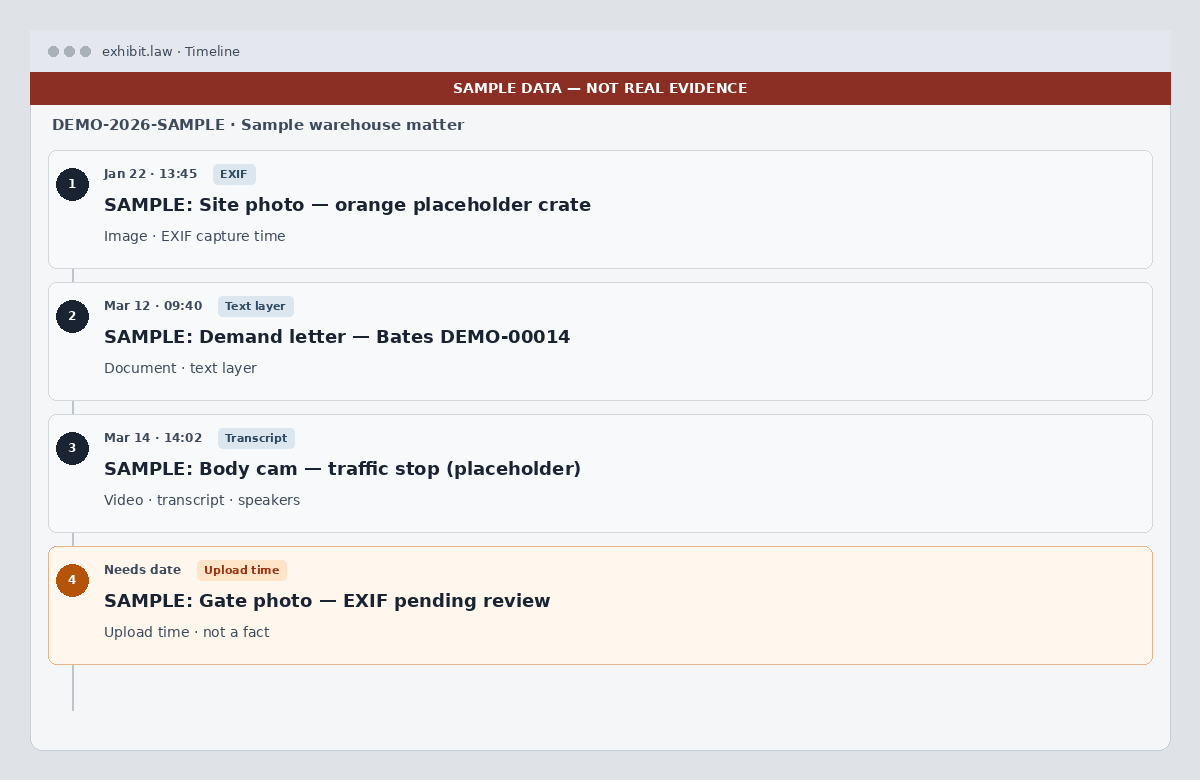
4. Work from timeline, search, and calendar
Once drafts are confirmed, use the paginated timeline in the case timezone, search across events and transcript bodies, and optionally subscribe the ICS feed (title and time only). Exhibits shows files linked to reviewed events, organized by tags.
- Search is case-scoped FTS — not a firm-wide corpus
- ICS omits descriptions and transcript text by design
- Vault export (CaseAdmin) is one-way offline notes when you need them
Start with a thin slice
Do not begin with the full production. Upload a small mixed set (PDF, photo with EXIF, short A/V), clear Review, then scale the batch.
Related: AI chronology drafting, discovery management, EXIF capture time, body-cam transcription, and case timeline overview.