From an Evidence.com ZIP to a reviewable case timeline
An Evidence.com export can contain body-camera video, interview audio, photographs, PDFs, and folders of supporting records. Downloading the ZIP gets the evidence out of the portal; it does not turn that production into a chronology your team can search and review.
With exhibit.law, you drag that ZIP onto Upload inside the active matter. The server expands the package, preserves useful relative paths, classifies the extracted files, and moves each one through the same metadata, transcription, OCR, and draft-event pipeline as a direct upload.
Drag the ZIP into the matter
Open the case, go to Upload, and drag the Evidence.com ZIP into the drop area. Upload starts automatically. The browser sends the archive once; the server validates it and expands the contents into a single batch instead of asking you to unpack and re-upload hundreds of files by hand.
Relative folder names remain visible on extracted files, identical bytes deduplicate within that case, and every resulting media row stays scoped to the matter where the ZIP was dropped. Password-protected archives, unsafe paths, nested ZIPs, and packages over the size or file-count limits are refused rather than silently skipped.
- One drag-and-drop starts one trackable upload batch
- ZIP archives up to 10 GB; extracted contents up to 50 GB total
- Useful folder/file paths remain visible after extraction
- Files never enter a shared cross-matter evidence library
Each extracted file follows the right reading path
Once extraction finishes, exhibit.law works file by file. Audio and video are normalized and transcribed into timed segments. Documents use their text layer when it is reliable, then OCR or vision when pages are scans. Photos and media containers contribute usable capture metadata when it is present.
The pipeline drafts a timeline event only after those reading steps. That ordering matters: a draft grounded in transcript text and metadata is more useful than a summary guessed from a filename. If nothing is readable and no defensible date is available, the system does not invent an event.
- Body-camera and interview media become timed, searchable transcripts
- PDFs and scans move through text extraction and OCR
- Embedded dates are preferred over model-suggested dates
- Search covers transcripts and event text inside this case
A timeline is drafted, not declared
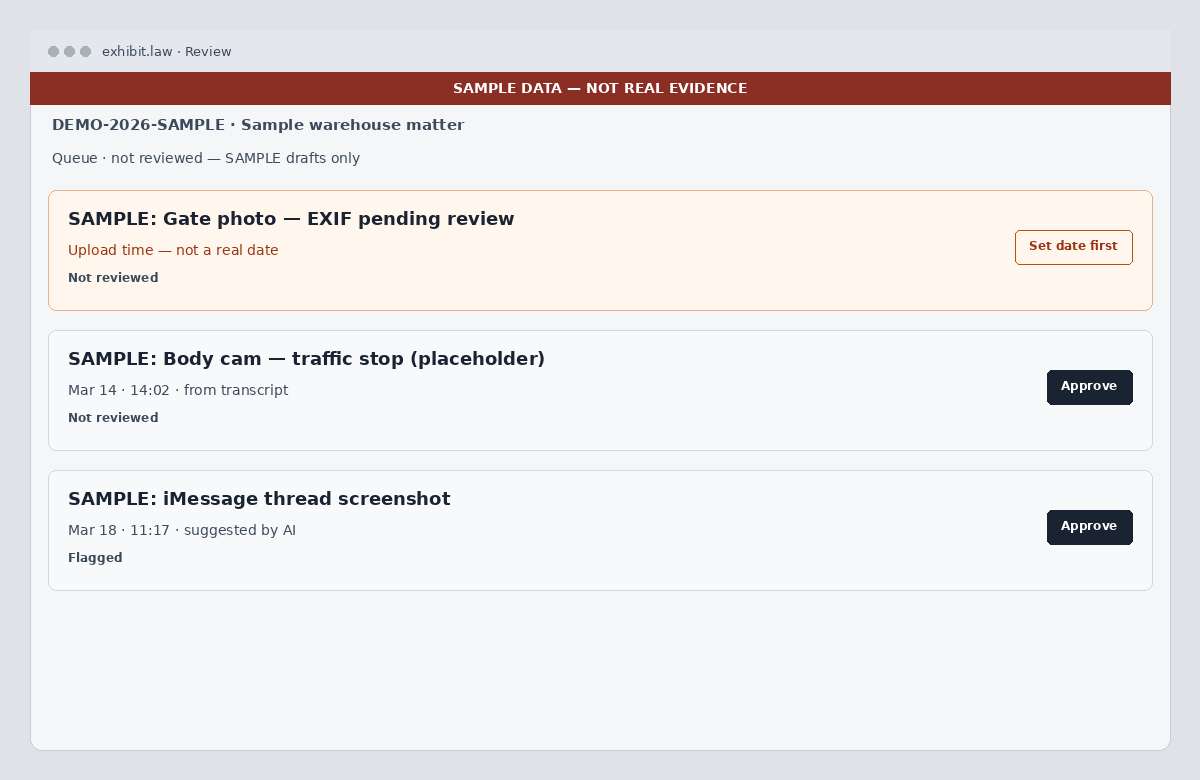
New event cards land in Review as not reviewed. You can read the source beside the draft, correct its title or description, identify people and speakers, and confirm the date before approval. Provenance labels distinguish extracted dates, AI suggestions, and upload-time placeholders.
Upload time is not treated as when an incident happened. The calendar hides those placeholder dates, and bulk approval refuses to harden them until a person supplies a real date. The resulting chronology is organized for review without pretending automation settled the facts.
Apply tags once, then prepare a focused expert workspace
Before processing the batch, choose the case tags that describe the production — for example Use of Force, Medical, Interview, or a specific expert issue. Those batch tags are copied onto each new draft event created from the extracted files, so the production arrives on the timeline with a consistent starting structure.
A CaseAdmin can then invite an Expert and limit that grant to selected tags. The Expert sees only tagged events within that scope and media linked to those events; untagged material and unrelated tags remain unavailable. Tags make the handoff ready for a focused review, but a human still decides which labels and exhibits belong in that scope.
- Batch tags carry onto newly drafted events
- One exhibit can participate in more than one issue tag
- Expert access can be limited to selected tags
- A zero-tag Expert sees no case evidence
Export in — not a two-way Evidence.com sync
This workflow imports an export package. exhibit.law does not ask for Evidence.com credentials, pull from the agency account, or write anything back. The original archive remains evidence, while exhibit.law becomes the working system for transcripts, review state, tags, search, and the matter timeline.
AI output remains assistive and subject to human review. Read the AI Disclosure for current provider handling, and the Privacy Policy for access and data practices.
Try a small Evidence.com export
Create a case you control, choose one or two useful tags, and drag in a small Evidence.com ZIP. Watch the archive expand, process the batch, then open Review to compare the source media, transcript, and draft timeline event before approving anything.
For larger productions, firm deployments, or public-defender pricing, contact us. Related reading: body-cam transcription, legal document OCR, discovery management, and expert tag scoping in the Exhibits workflow.