Case chronology software vs Excel or Word timelines
Many matters still start as an Excel sheet or a Word table: date, event, source, initials. That works until the production grows, the transcript arrives, and three people paste the same upload timestamp as if it were when the photo was taken.
exhibit.law does not ban spreadsheets — CaseAdmins can still export one-way notes. The product question is whether the live chronology lives in a shared drive file with no chain of custody, or inside an invite-only matter with linked media and review state.
Where spreadsheet chronologies break
Filenames become the narrative. Bates ranges substitute for dates. Paste errors duplicate rows. There is no structural stop against citing “downloaded Tuesday” as the capture time. Search is Ctrl+F across one workbook — not ranked hits across deposition audio and OCR’d PDFs in the same case.
- No per-field provenance on dates
- No link from the row to the actual exhibit bytes
- No review status — every row looks equally “done”
- Access is a shared link or mailbox, not a case grant
What changes in an evidence workspace
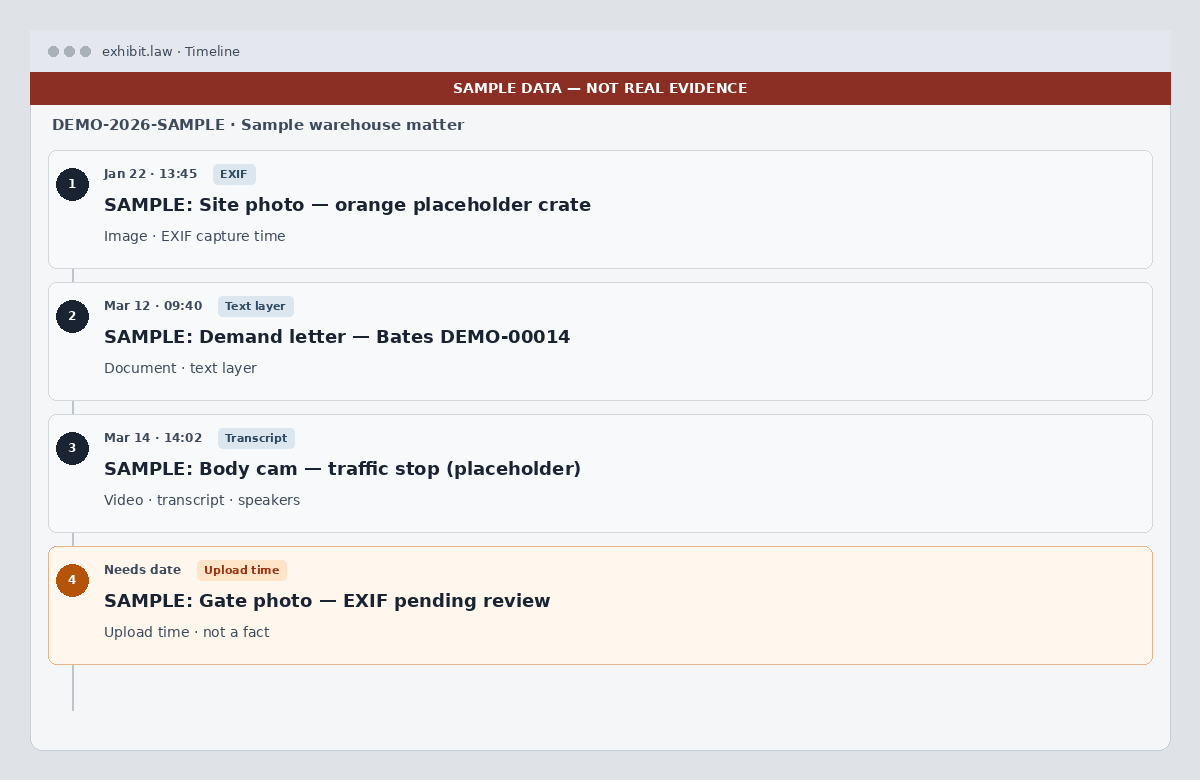
Media is first-class. Transcripts belong to files. Draft events wait for review. Upload-time dates stay labeled as placeholders. Search and calendar read the same case-scoped store. That is the difference between a working chronology and a table that looks finished.
If you already have a sheet
Treat the spreadsheet as a checklist of moments to verify, not as the source of truth. Upload the underlying exhibits, let the pipeline read them, and rebuild the chronology with provenance. Do not re-type upload minutes as occurred-at.
Compare on one matter
Create a free account, upload the files behind five spreadsheet rows, and clear Review. Related: how to build a case chronology, AI chronology drafting, and discovery management.